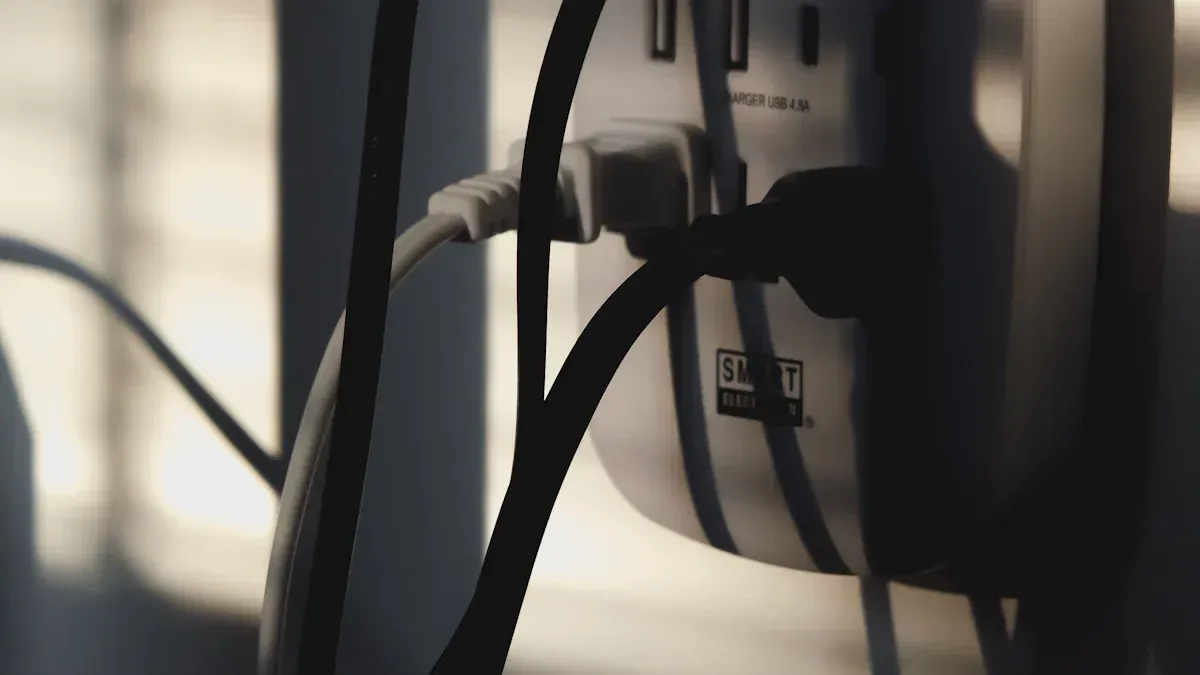
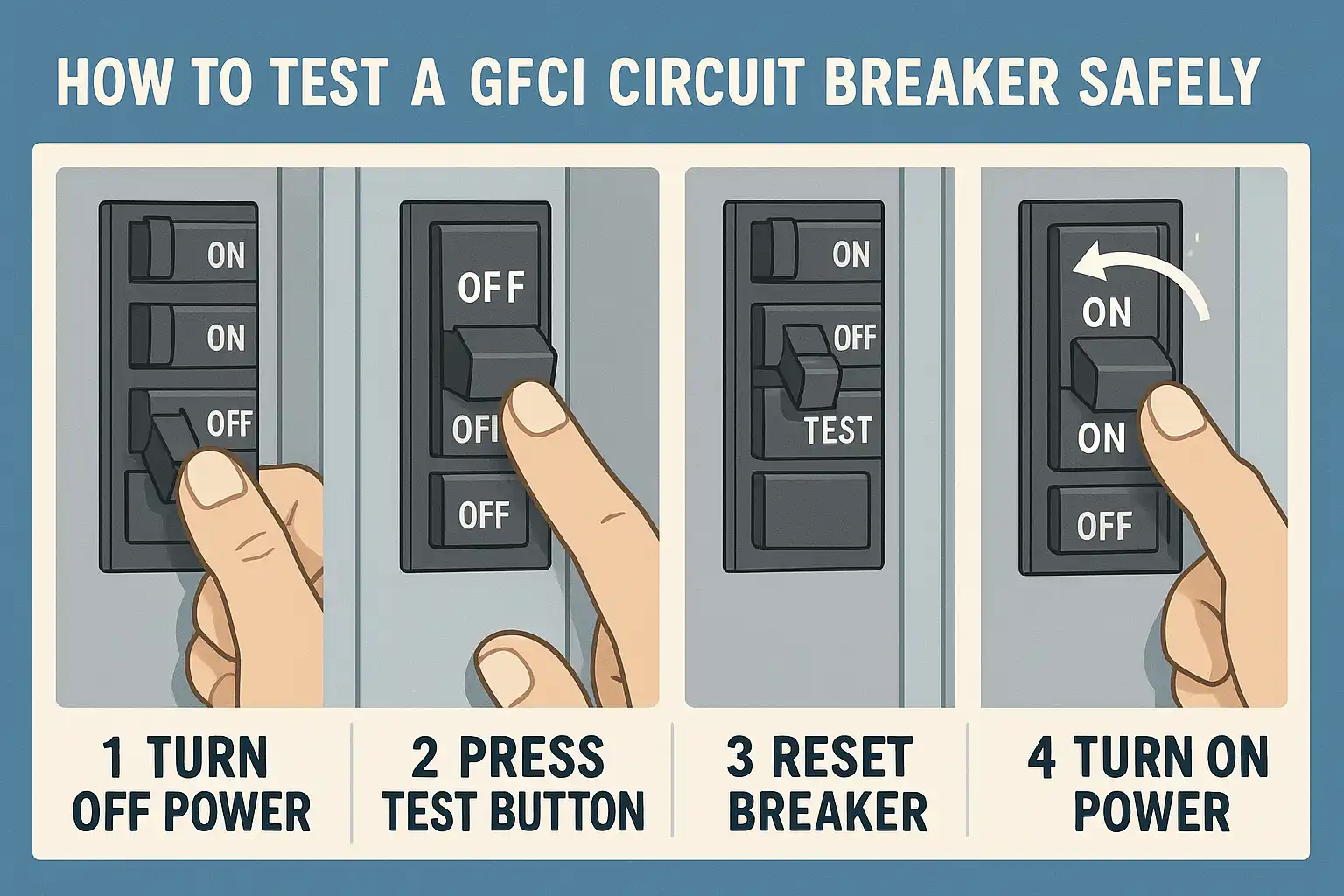
To check a GFCI, press the test button and make sure the outlet turns off. Regular testing keeps you safe from electrical shock. Safety organizations recommend you test GFCI outlets at least every month. If you cannot test monthly, do it every three months.
Use simple tools for this task:
Test and reset buttons
A nightlight
A GFCI tester
You will find the process easy and safe when you follow each step carefully.
Key Takeaways
Test your GFCI outlet every month to stay safe from shocks. Use the test and reset buttons first to quickly check if the outlet works. You can use a nightlight to see if the GFCI outlet is working correctly. GFCI testers give more details about the wiring and if the outlet works. Always wear safety gear like insulated gloves and safety glasses when you check outlets. If the GFCI outlet will not reset, check the circuit breaker and think about replacing the outlet. Watch for warning signs like burning smells or strange noises, and call a professional if you see them. Testing often and replacing GFCI outlets on time can stop electrical dangers in your home.
Tools Needed
When you check a GFCI outlet, you need a few simple tools. These tools help you test the outlet safely and make sure it works as it should. Using the right tools also helps you spot problems early.
Test/Reset Buttons
Every GFCI outlet has two important buttons on its face. You will see a "Test" button and a "Reset" button. These buttons let you check if the outlet can shut off power when needed and turn it back on after a test. You do not need any special equipment to use these buttons. Just press the "Test" button to see if the outlet trips and cuts off power. Then, press the "Reset" button to restore power. This simple step helps you know if the GFCI is working.
Tip: Always start by using the test and reset buttons before trying other tools. This method is quick and shows you right away if the outlet responds.
Nightlight
A nightlight is a handy tool for checking GFCI outlets. You can use any small lamp or device that lights up when plugged in. The nightlight helps you see if the outlet is giving power. Plug the nightlight into the GFCI outlet and turn it on. When you press the "Test" button, the nightlight should turn off. This means the GFCI has cut the power as it should. After you press the "Reset" button, the nightlight should turn back on. This shows the outlet is working again.
Here is a simple way to use a nightlight for testing:
1. Plug a nightlight (with an “ON/OFF” switch) into the GFCI outlet and turn it on.
2. Press the “Test” button. The nightlight should go off.
3. Press the “Reset” button. The nightlight should come back on.
A nightlight gives you a clear, visual sign that the outlet is working. You do not need any special skills to use this tool.
GFCI Tester
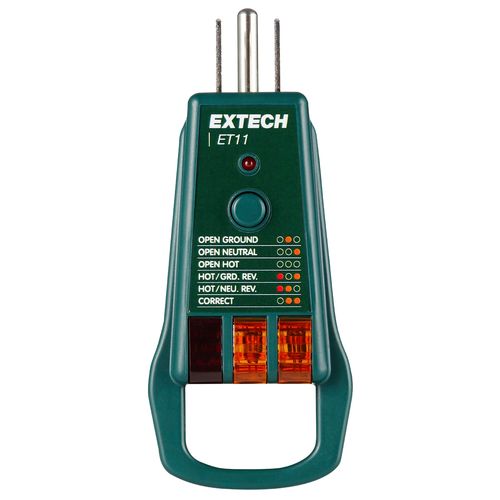
A GFCI tester is a small device made to check GFCI outlets. You plug the tester into the outlet. The tester has lights that show if the wiring is correct and if the GFCI function works. Some testers have a button that lets you trip the GFCI from the tester itself. This tool gives you more information than just using the test/reset buttons.
GFCI testers are specifically designed to check Ground Fault Circuit Interrupters. These testers can determine if the GFCI function is operational.
Other testers, like receptacle testers and non-contact voltage testers, can also help. Receptacle testers show wiring issues. Non-contact voltage testers let you check for power without touching wires. Multimeters measure voltage, current, and resistance. These tools are helpful if you want to do a deeper check.
Using these tools makes the process safe and easy. You do not need to be an electrician to use them. Just follow the steps, and you can keep your home safe.
Safety Gear
When you check a GFCI outlet, you want to stay safe. Using the right safety gear protects you from electric shock and other accidents. You do not need expensive equipment. Simple items can make a big difference.
Here are some basic safety gear items you should use:
1. Insulated Gloves
Wear insulated gloves when you work with electrical outlets. These gloves protect your hands from electric shock. You can find them at most hardware stores. Make sure the gloves fit well and have no holes.
2. Safety Glasses
Put on safety glasses before you start. These glasses protect your eyes from sparks or debris. Even a small piece of dust can hurt your eyes. Safety glasses are light and comfortable.
3. Rubber-Soled Shoes
Wear shoes with rubber soles. Rubber does not conduct electricity. These shoes help keep you grounded and lower your risk of shock. Avoid working barefoot or in socks.
4. Non-Conductive Tools
Use tools with rubber or plastic handles. These handles do not carry electricity. Screwdrivers and pliers with insulated grips are best. Check your tools for cracks or damage before you use them.
5. Flashlight or Headlamp
Good lighting helps you see what you are doing. Use a flashlight or headlamp if the area is dark. This keeps your hands free and your work area safe.
Tip: Always check your safety gear before you start. Replace any item that looks worn or damaged.
Why is safety gear important?
Safety Gear | What It Protects You From | Why You Need It |
|---|---|---|
Insulated Gloves | Electric shock | Keep hands safe |
Safety Glasses | Sparks, dust, or debris | Protects your eyes |
Rubber-Soled Shoes | Electric shock from the ground | Reduces shock risk |
Non-Conductive Tools | Electric current through tools | Stops electricity transfer |
Flashlight/Headlamp | Poor visibility | Helps you see clearly |
You do not need to be an electrician to use safety gear. Anyone can use these items to stay safe. Always put safety first. If you feel unsure, stop and ask for help.
Remember: Safety gear is your first line of defense. Never skip these steps, even for a quick check. Your safety matters most.
How to Check a GFCI
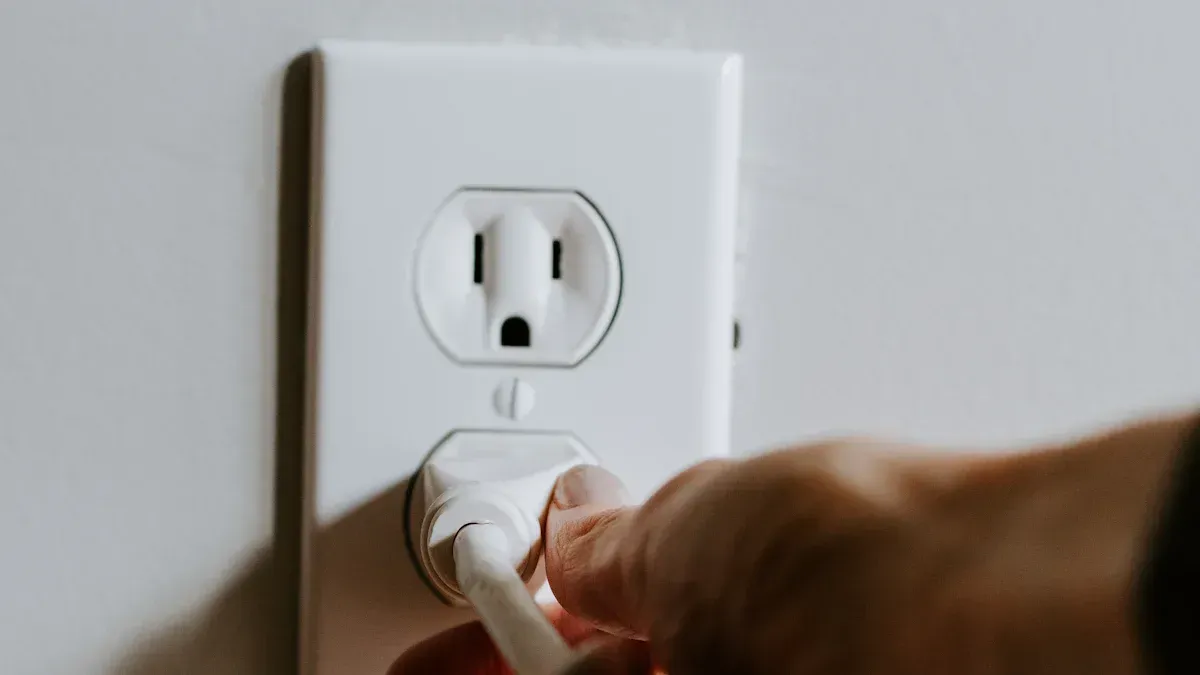
Testing your GFCI outlet helps you keep your home safe. You can check a GFCI by following a few simple steps. You do not need special skills. You only need to pay attention and use the right tools.
Test with Buttons
You can check a GFCI using the test and reset buttons on the outlet. This method is quick and reliable. Follow these steps to make sure your outlet works as it should:
Locate Outlet
Find the GFCI outlet you want to test. Look for two buttons on the face of the outlet. One button says "TEST," and the other says "RESET." These buttons help you check the outlet’s safety features.
Press Reset
Before you start, press the "RESET" button. This step makes sure the outlet has power. You should hear a click when you press the button. If the outlet does not reset, you may need to replace it.
Plug in Nightlight
Plug a nightlight or small lamp into the GFCI outlet. Turn the nightlight on. The light should glow if the outlet has power. This step gives you a clear sign that the outlet works.
Press Test
Press the "TEST" button on the outlet. You should hear a click. The nightlight should turn off right away. This action means the GFCI has cut the power, just as it should during a ground fault.
Check Nightlight
Look at the nightlight. If it turns off, the GFCI outlet works. If the light stays on, the outlet may be faulty. Press the "RESET" button again to restore power. The nightlight should turn back on. If it does not, you may need to replace the outlet.
Tip: Always use a device like a nightlight to check a GFCI. This method gives you a clear, visual sign that the outlet responds to the test.
Step-by-step summary:
1. Find the GFCI outlet with TEST and RESET buttons.
2. Plug in a nightlight or lamp and turn it on.
3. Press the TEST button. Listen for a click and watch for the light to go off.
4. Press the RESET button. Listen for a click and check that the light comes back on.
5. If the outlet does not respond, replace it to keep your home safe.
Common mistakes to avoid when you check a GFCI:
Do not ignore ground faults. Worn insulation or moisture can cause them.
Do not skip regular checks. Low currents can still cause harm.
Do not overlook leakage current. Old insulation can lead to trips.
Do not reset without checking the cause. Multiple devices can overload the circuit.
Always check insulation and manage circuit loads to prevent problems.
LED Indicators
Many modern GFCI outlets have LED lights. These lights help you understand the outlet’s status at a glance. Each color tells you something important.
Green Light
A green LED means your GFCI outlet works correctly. The green light shows that the outlet has power and the wiring is correct. You can use the outlet with confidence when you see this light.
Red Light
A red LED signals a problem. The outlet may have tripped due to a ground fault, surge, or current imbalance. If you see a red light:
Unplug any devices from the outlet.
Press the RESET button to try to restore power.
If the red light stays on or returns, call a licensed electrician. Do not use the outlet until a professional checks it.
Yellow/Amber Light
Some GFCI outlets use a yellow or amber light. This color often means the outlet is in a special state, such as end-of-life warning or self-test mode. Check the outlet’s manual for details. If you see a yellow or amber light, test the outlet and consider replacing it if the warning does not clear.
Note: Always read the outlet’s manual for exact meanings of LED colors. Manufacturers may use different signals.
By following these steps, you can check a GFCI and understand what the LED indicators mean. Regular testing helps you catch problems early and keeps your home safe.
Test with GFCI Tester
Plug-in Tester
A GFCI tester is a small device that helps you check a GFCI outlet quickly. You start by plugging the tester into the outlet you want to test. Most testers have three prongs, so make sure your outlet matches. When you insert the tester, you will see a set of indicator lights turn on. These lights show the current wiring condition of the outlet.
Tip: Always read the instructions on your tester. Each model may use different light patterns.
Plugging in the tester is the first step to check a GFCI. This step does not require any tools or special skills. You only need to insert the tester and look at the lights.
Read Lights
After you plug in the tester, look at the indicator lights. Most testers have two or three lights that can show different patterns. Each pattern tells you something about the wiring. You will find a chart on the tester or in the manual. Use this chart to match the light pattern to the wiring condition.
Here is how you can read the lights:
1. All lights correct: The outlet is wired properly and ready for further testing.
2. One or more lights off or in the wrong pattern: The outlet may have a wiring problem, such as open ground, open neutral, or reversed wires.
If you see a pattern that does not match "correct wiring," do not use the outlet. Problems like open ground or reversed wiring can make the outlet unsafe. Plug-in testers are helpful, but they do not always give a complete answer. If you see a warning, you should check further with a multimeter or call an electrician.
An open, neutral, or reversed wiring can happen if wires are burned or not connected well.
Sometimes, pushing the outlet back into the box can break a weak connection.
Note: If the tester shows a problem, do not ignore it. Always fix wiring issues before using the outlet.
Press Test Button
Most GFCI testers have a button labeled "Test." When you press this button, the tester sends a small current to the ground wire. This action simulates a ground fault. A working GFCI outlet should trip and cut off power right away.
Follow these steps:
1. Press the "Test" button on the tester.
2. Listen for a click from the outlet. The indicator lights on the tester should turn off.
3. If the outlet trips, you know the GFCI function works.
4. If nothing happens, the GFCI outlet may be faulty and needs replacement.
Pressing the test button is a key part of how you check a GFCI with a tester. This step helps you know if the outlet will protect you during a real ground fault.
A GFCI tester makes it easy to check a GFCI and spot wiring problems. You can use this tool to keep your home safe and avoid electrical hazards.
Interpret Results
After you press the test button on your GFCI tester, you will see a pattern of lights. These lights tell you if your outlet is safe to use. You need to know what each pattern means so you can take the right action.
Understanding Light Patterns
Most GFCI testers use two or three lights. Each combination shows a different result. You will find a chart on your tester or in the manual. Always check this chart first. Here are some common patterns and what they mean:
Light Pattern | What It Means | What You Should Do |
|---|---|---|
Two amber lights | Correct wiring | The outlet is safe to use |
One red, one amber | Open ground | Call an electrician |
One amber, one off | Open neutral | Do not use the outlet |
One red, one off | Hot/ground reversed | Get professional help |
All lights off | No power or tripped outlet | Reset or check the circuit |
Tip: If you see a pattern not listed on your tester, do not guess. Always check the manual or ask a professional.
What to Do Next
1. Correct Wiring
If your tester shows the correct pattern, your GFCI outlet works. You can use the outlet for your devices. Remember to test it again every month.
2. Wiring Problem
If you see a warning pattern, stop using the outlet. Problems like open ground or reversed wires can cause electric shock. Unplug anything from the outlet. Tell an adult or call an electrician.
3. Outlet Does Not Trip
If the outlet does not trip when you press the tester’s button, the GFCI function may be broken. This means the outlet cannot protect you from shock. Replace the outlet as soon as possible.
4. No Power
If all lights stay off, the outlet may have no power. Check your circuit breaker. Try pressing the reset button on the outlet. If the outlet still does not work, get help from a professional.
Safety Reminders
Always treat wiring problems as serious. Never try to fix electrical issues by yourself unless you know how. Electricity can be dangerous.
You can use your GFCI tester to keep your home safe. By reading the lights and following these steps, you make sure your outlets protect you and your family.
Troubleshooting
Outlet Won’t Reset
If your GFCI outlet will not reset, you need to find the cause. Several common problems can stop the outlet from working. You can use the table below to understand what might be wrong:
Cause | Explanation |
|---|---|
Bad Connection or Loose Parts | Loose wires or parts can interrupt the flow of electricity. This stops the GFCI from resetting. |
No Power Supply to Receptacle | If the outlet does not get power, it cannot reset. Check your circuit breaker or fuse box for any issues. |
GFCI Outlet Has Gone Bad | Old age, power surges, or defects can damage the outlet. You may need to replace it if it no longer works. |
Power Turned off by the Circuit Breaker | A tripped breaker can cut power to the outlet. Inspect your appliances and wiring for any damage or faults. |
Tip: Always check your circuit breaker first. Sometimes, flipping the breaker switch restores power to the outlet.
If you try to reset the outlet and nothing happens, unplug all devices. Press the reset button again. If the outlet still will not reset, you may need to replace it. Do not try to force the button. For safety, call an electrician if you cannot find the problem.
Nightlight Stays On
When you check a GFCI, you expect the nightlight to turn off after pressing the test button. If the nightlight stays on, follow these steps:
Stop using the outlet right away and unplug all devices.
Press the reset button firmly. If the outlet does not reset, consider replacing it.
Check for ground faults or damaged appliances that may cause the problem.
If the GFCI trips and the test light remains yellow, this could mean internal damage or a wiring fault.
Note: A nightlight that stays on after testing means the GFCI is not cutting power as it should. This can put you at risk for electric shock.
If you cannot fix the problem, replace the outlet or call a professional. Never ignore a GFCI that does not respond to testing.
LED Shows Fault
Many GFCI outlets have LED indicators. These lights help you know if the outlet works or if there is a problem. If the LED shows a fault after testing, this means the outlet has tripped because of a ground fault or current leakage. The GFCI does this to protect you from electrical shock. You should not use the outlet until you fix the problem.
Check the outlet’s manual for what each LED color means. If the fault light stays on after you press reset, unplug all devices and do not use the outlet. You may need to replace the GFCI or call an electrician for help.
Safety Reminder: Always treat a fault light as a warning. Your safety comes first.
Replace Outlet
Sometimes, you need to replace your GFCI outlet. If your outlet fails the test, does not reset, or shows a fault light that will not clear, replacement is the safest choice. Old or damaged outlets cannot protect you from electric shock. You should never ignore these warning signs.
Signs You Need to Replace a GFCI Outlet
Look for these signs that tell you replacement is necessary:
The outlet will not reset after you press the reset button.
The test button does not trip the outlet.
The nightlight or tester shows the outlet still has power after testing.
The LED indicator stays red, yellow, or shows a fault.
The outlet feels warm, smells burnt, or looks cracked.
You see sparks or hear buzzing noises.
Tip: If you notice any of these signs, stop using the outlet right away. Unplug all devices and do not try to fix the outlet yourself if you feel unsure.
How to Replace a GFCI Outlet
You can replace a GFCI outlet with a few simple tools. If you feel comfortable with basic electrical work, follow these steps. If not, call a licensed electrician.
1. Turn Off Power
Go to your breaker box. Find the switch that controls the outlet. Flip it off. Use a non-contact voltage tester to make sure the power is off.
2. Remove the Old Outlet
Unscrew the faceplate. Take out the screws holding the outlet in the box. Gently pull the outlet out. Note where each wire connects.
3. Disconnect Wires
Loosen the terminal screws. Remove the wires from the old outlet. Keep track of the line (power in) and load (power out) wires.
4. Install the New GFCI Outlet
Attach the wires to the new outlet. Connect the line wires to the terminals marked "LINE." If you have load wires, connect them to "LOAD." Tighten all screws.
5. Secure and Test
Push the outlet back into the box. Screw it in place. Attach the faceplate. Turn the power back on. Press the reset button. Test the outlet with a nightlight or GFCI tester.
Step | What to Do | Why It Matters |
|---|---|---|
Turn Off Power | Flip breaker, test for no power | Prevents electric shock |
Remove Old Outlet | Unscrew and pull out | Access wiring safely |
Disconnect Wires | Loosen screws, remove wires | Prepares for a new outlet |
Install New Outlet | Attach wires, tighten screws | Ensures safe connections |
Secure and Test | Reinstall, restore power, test | Confirms safe operation |
Safety Reminder: Always use insulated tools and wear safety gear. Never work on live wires. If you feel unsure, call a professional.
Replacing a GFCI outlet keeps your home safe. You protect yourself and your family from electrical hazards. Regular checks and timely replacement help prevent accidents. If you ever feel nervous about electrical work, trust an expert to handle the job.
Safety Tips

Staying safe is the most important part of checking or repairing a GFCI outlet. You can prevent accidents by following a few simple rules. Always take your time and never rush through safety steps.
Turn Off Power
Before you start any work on a GFCI outlet, you must turn off the power. This step protects you from electric shock. You should always follow these official safety guidelines:
1. Turn Off Power at the Circuit Breaker
Go to your circuit breaker box. Find the breaker that controls the outlet you want to check. Flip the switch to the "off" position. If you are not sure which breaker controls the outlet, turn off breakers one at a time until the outlet has no power.
2. Check and Confirm Outlet is No Longer Energized
Use a voltage tester or a multimeter to check the outlet. Make sure there is no electrical current. Never assume the outlet is safe just because you turned off the breaker. Always test before you touch.
Tip: Double-checking the power keeps you safe. Never skip this step, even if you feel confident.
Use Insulated Tools
When you work with electrical outlets, always use insulated tools. These tools have special handles made from rubber or plastic. The insulation keeps electricity from reaching your hands.
Insulated tools lower your risk of electric shock and electrocution.
Safety standards like NFPA 70E and CSA Z462 require insulated tools for electrical work.
These tools protect you from the dangers of live circuits.
The insulation acts as a barrier, stopping electrical current from passing through to you.
High-quality insulated tools also guard against arc faults, which can cause burns or fires.
Using insulated tools is not just a good idea—it is a rule for anyone working with electricity. You protect yourself and follow important safety standards.
Avoid Wet Areas
Water and electricity are a dangerous mix. You should never test or repair a GFCI outlet in a wet area. Wet hands, floors, or tools can increase your risk of shock.
Dry your hands before you start.
Make sure the floor and surrounding area are dry.
Do not use electrical tools near sinks, bathtubs, or puddles.
Unsafe Condition | What to Do |
|---|---|
Wet hands | Dry them completely |
Damp floor | Wait until it is dry |
Water near outlet | Clean up before testing |
Note: If you see water near the outlet, stop right away. Wait until everything is dry before you continue.
By following these safety tips, you make sure your work area stays safe. You protect yourself and others from harm. Always remember: safety comes first when working with electricity.
When to Call a Pro
Sometimes, you need more than a simple test or reset. Certain warning signs mean you should stop and call a licensed electrician. These signs show that your electrical system may have a serious problem. You should never ignore them.
Here are some clear signs that you need professional help:
Persistent tripping of your GFCI outlets
No power after you press the reset button
Visible damage or signs of burning on the outlet
An aging electrical system in your home
Complex circuit behavior, such as several outlets failing at once
Multiple Outlets Fail
If you notice that more than one GFCI outlet stops working at the same time, this points to a bigger issue. You might see this after a storm or power surge. Sometimes, lightning can damage several outlets and even other electronics in your home. This kind of failure is not just a simple fix.
Problem Description | What It Means for You |
|---|---|
Possible wiring or surge damage | |
Other electronics stop working at the same time | Surge may have affected more than just the outlets |
Outlets do not reset or stay off | Deeper electrical issue that needs expert attention |
If you see these problems, do not try to fix them yourself. You could make the problem worse or put yourself in danger. Call a professional to check your wiring and make repairs.
Burning Smell
A burning smell from any outlet is a serious warning. This smell means something is wrong inside the outlet or wiring. If you notice this, you should act fast:
Turn off the breaker that controls the outlet.
Unplug any devices from the outlet.
Do not use the outlet until an electrician checks it.
Ignoring a burning smell can lead to a fire. You should never take this risk. Always let a professional handle outlets that smell burnt or look damaged.
Warning: A burning smell is a sign of danger. Protect your home and family by calling an expert right away.
Unusual Noises
You might hear buzzing, humming, or crackling from a GFCI outlet. These sounds mean trouble. They can come from loose wires, a faulty outlet, or damaged parts inside the outlet. Sometimes, you will also notice flickering lights or the outlet feels hot.
Buzzing with flickering lights
Outlet feels warm or hot
GFCI will not reset or keeps tripping
Unusual noises can lead to bigger problems, including electrical fires. You should not ignore these sounds. Turn off the power and call a licensed electrician to inspect the outlet.
Tip: If you ever feel unsure about an electrical problem, always choose safety. A professional can find and fix issues before they become dangerous.
When you check a GFCI, you help keep your home safe. This stops electrical shocks and can prevent fires. Testing outlets every three months lets you find problems early. Regular testing has made electrocutions much less common since the 1970s. Most GFCI outlets work for 10 to 15 years. Some may stop working sooner if they are in tough places. If you see any problems or the outlet will not reset, call a professional for help.
Tip | Action |
|---|---|
🛡️ | Always stay safe and never ignore warning signs. |
FAQ
How often should you test your GFCI outlets?
You should test your GFCI outlets once a month. Regular testing helps you catch problems early and keeps your home safe from electrical hazards.
What if the GFCI outlet does not reset after testing?
If your GFCI outlet does not reset, check your circuit breaker first. If the breaker is fine, you may need to replace the outlet. Call a licensed electrician if you feel unsure.
Can you use a GFCI outlet in the bathroom or kitchen?
Yes, you should use GFCI outlets in bathrooms, kitchens, garages, and outdoor areas. These places have water, which increases the risk of electric shock.
Why does my GFCI outlet keep tripping?
A GFCI outlet trips when it senses a ground fault or a wiring problem. Moisture, faulty appliances, or damaged wires can cause this. Unplug devices and test the outlet. If it keeps tripping, call a professional.
Do GFCI outlets wear out over time?
Yes, GFCI outlets can wear out after 10 to 15 years. Some may fail sooner in harsh conditions. Replace any outlet that does not pass the test.
Can you replace a GFCI outlet yourself?
You can replace a GFCI outlet if you feel comfortable with basic electrical work. Always turn off the power and use insulated tools. If you feel unsure, hire a licensed electrician.
What does a blinking or colored LED mean on a GFCI outlet?
A blinking or colored LED shows the outlet’s status. Green means normal. Red or yellow means a problem. Check your outlet’s manual for details. Replace the outlet or call an electrician if the warning stays on.
Is it safe to use a GFCI outlet with an extension cord?
You can use an extension cord with a GFCI outlet, but always check the cord for damage. Never use cords in wet areas. For outdoor use, choose cords rated for outdoor conditions.